Context
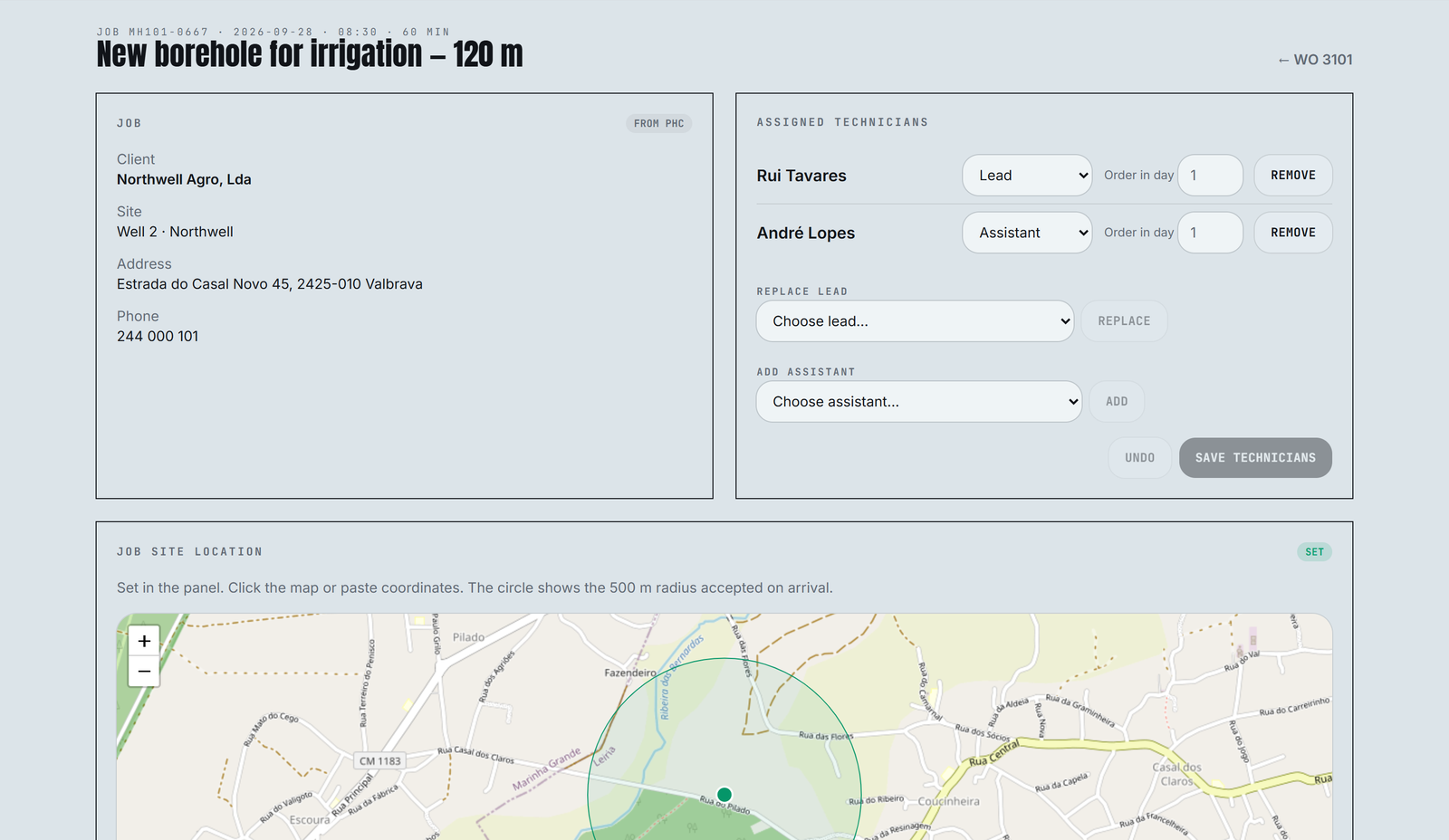
The client, a water borehole company in central Portugal, drills boreholes and installs and repairs pumps for farms, factories, municipalities and homes. Each job goes out with a crew: one lead technician and one to three assistants, often at the same site for a whole week.
Work orders already lived in PHC, the company's ERP. The gap was the day itself.
BEFORE
- —Arrival and departure times reached the office on paper or by phone, with no proof of where anyone was
- —Planning stayed in the ERP and never reached the crews' phones
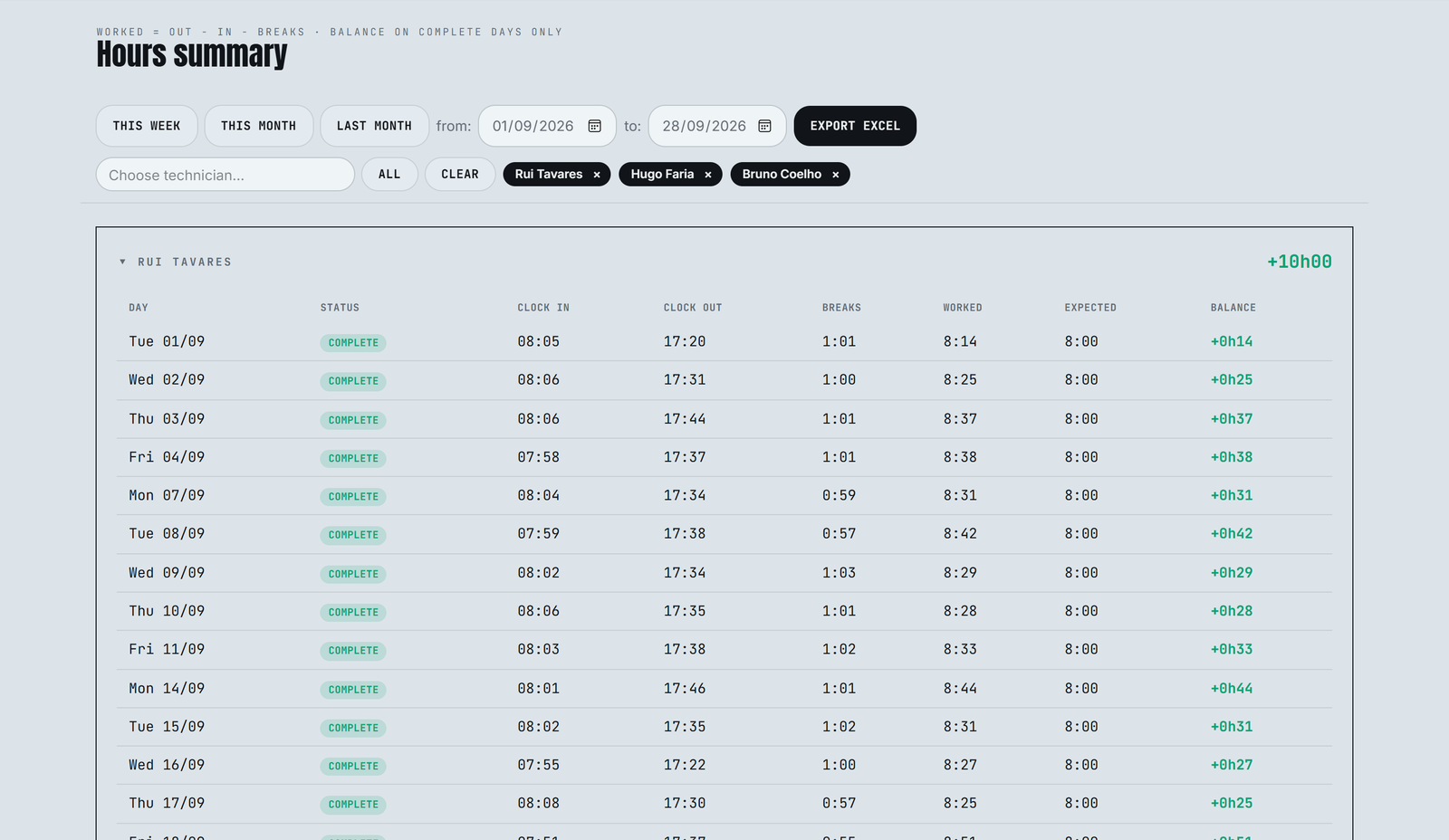
- —Hours per job, needed for billing and payroll, were typed in by hand at the end of the week
Technician app: five taps shape the day
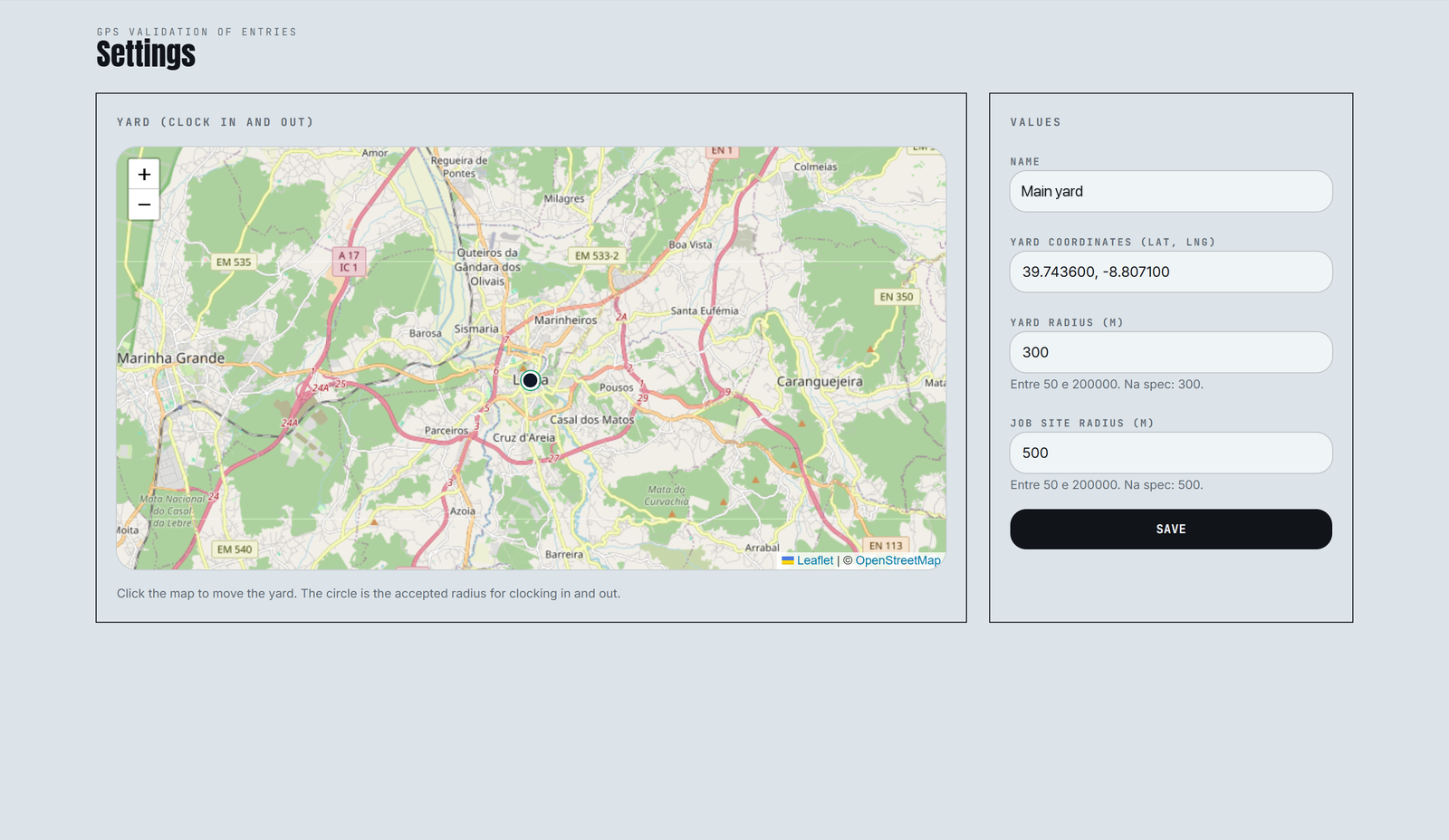
The phone shows today's jobs in order and one large button for the next step. Each tap records a GPS-checked time: at the yard for clocking in and out, and within 500 m of the site on arrival.
Clock in. At the yard, GPS is checked against a 300 m radius before the day can start.
Leave for the site. The first job comes from the office plan, with site, address and client phone.
Arrive. The lead confirms who is with them, so the whole crew's hours land on the right job.
Next job. Ending a job moves the crew straight on to the next one in the day's order.
Clock out. Back at the yard, breaks are subtracted and the balance is worked out against planned hours.
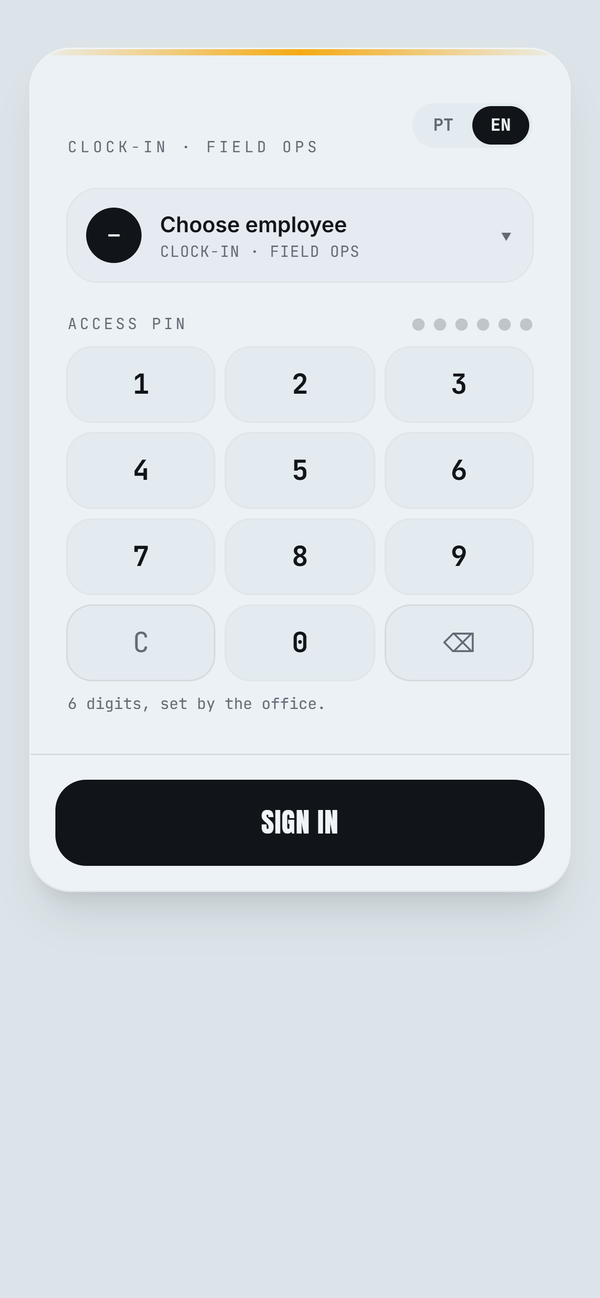
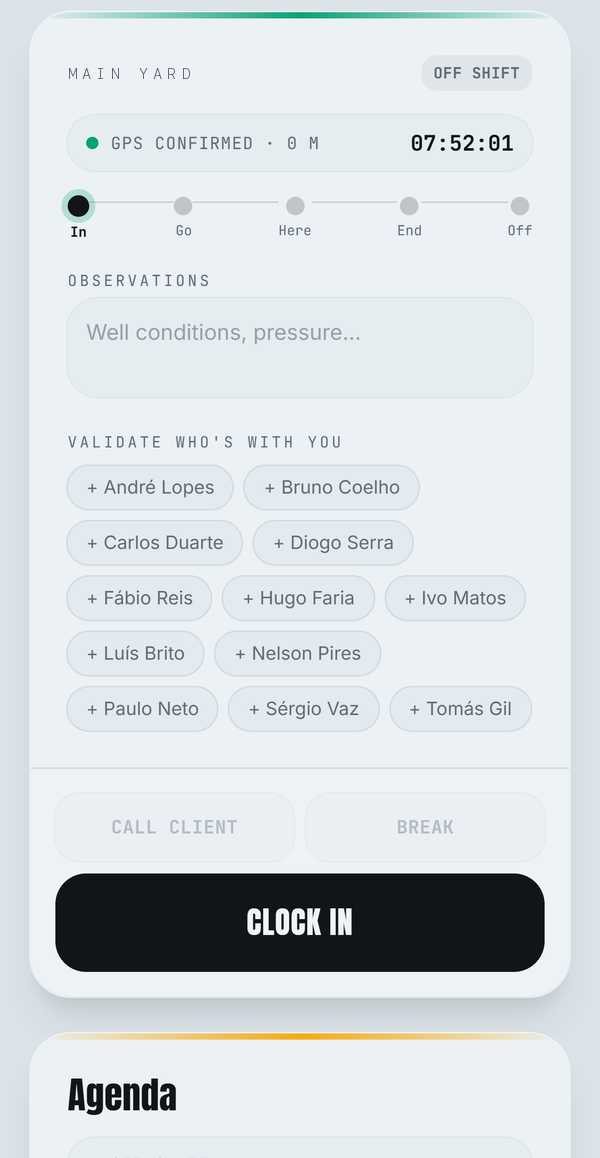
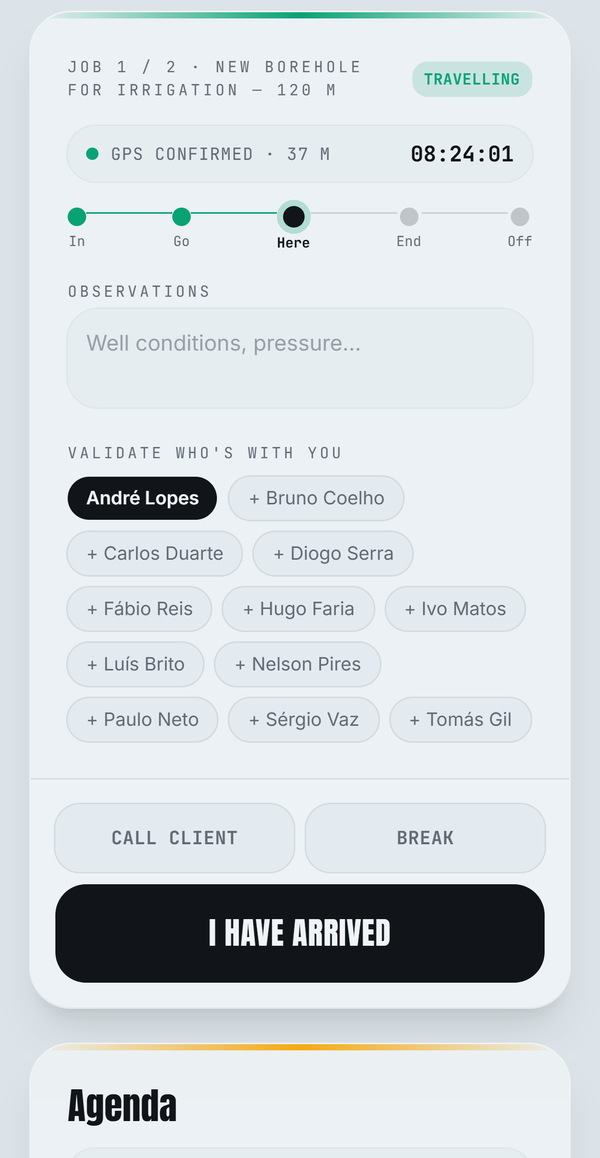
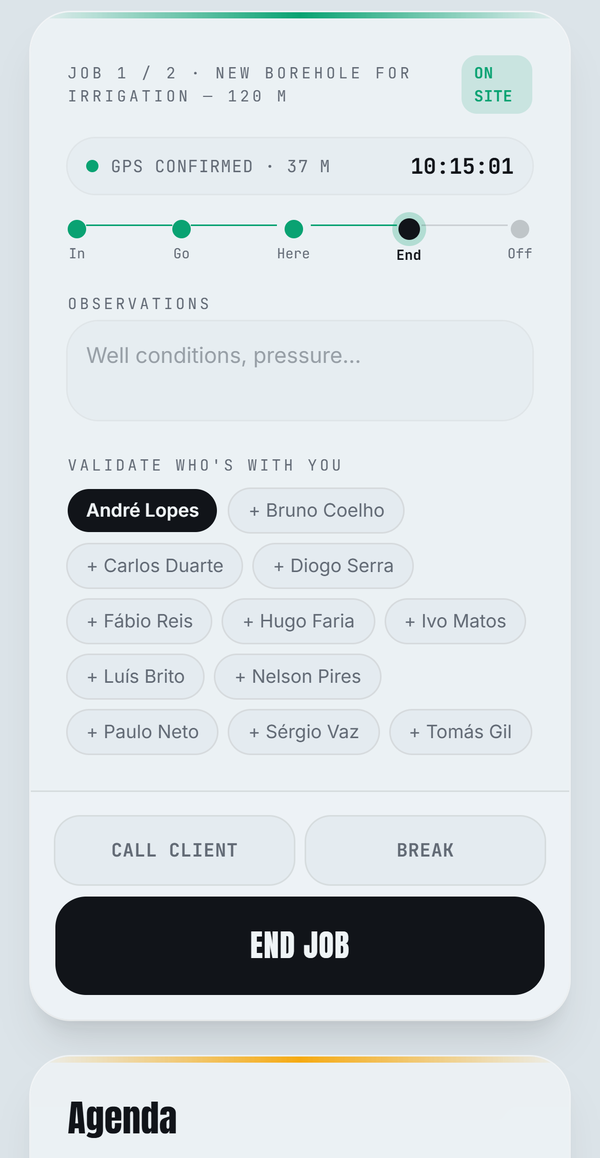
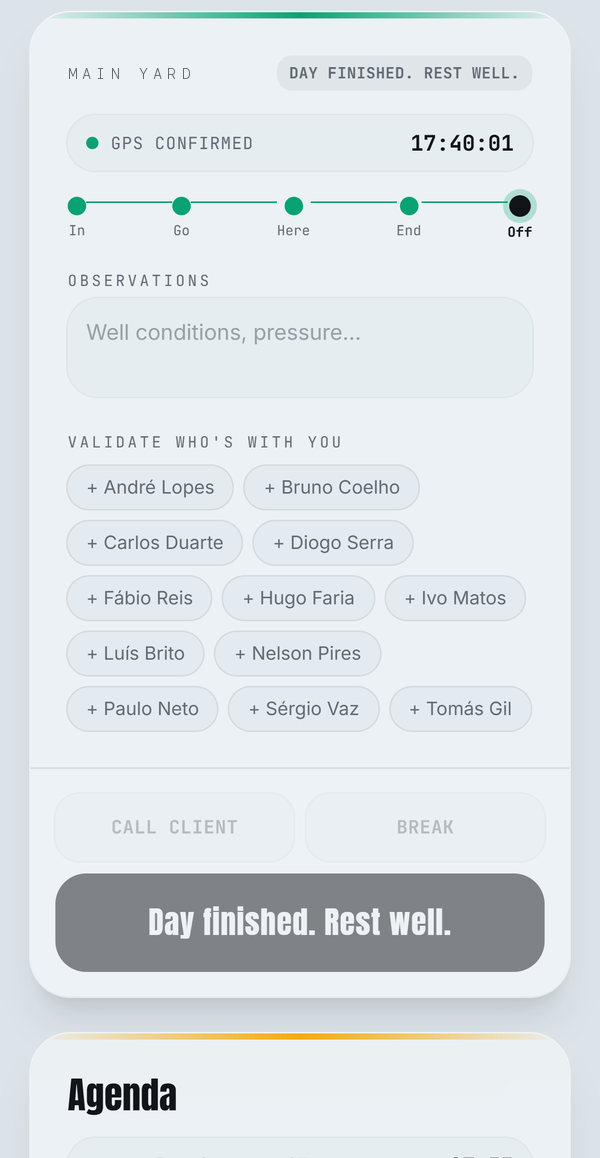
Crews share devices, so sign-in is a name and a six-digit PIN set by the office. The app works in Portuguese and English.
Office panel: a day at a glance
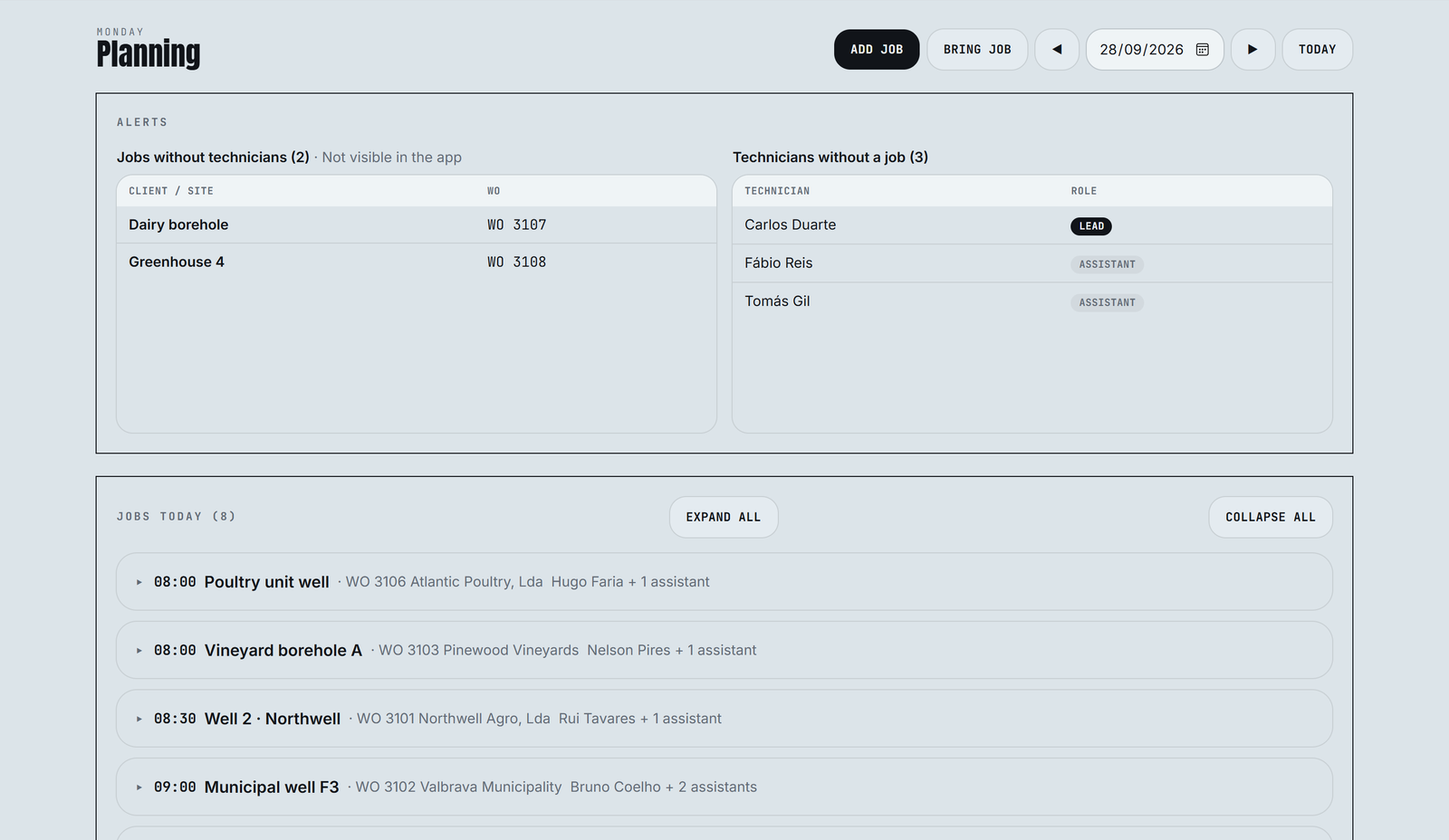
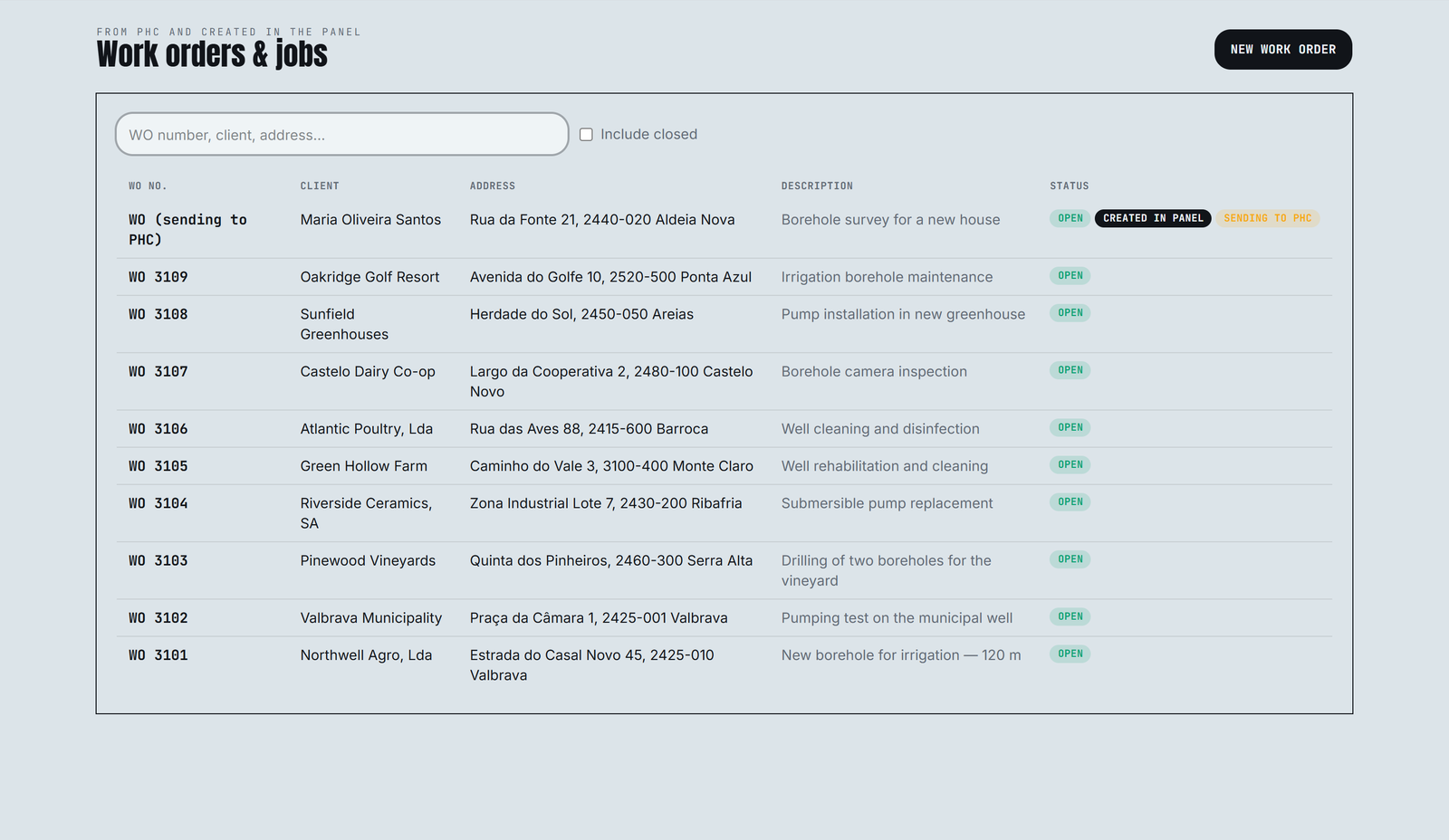
The panel opens on today's plan. Problems come first: jobs nobody is assigned to, which crews would never see, and technicians with nothing to do. Each job opens in place to change the crew and the order of each person's day.
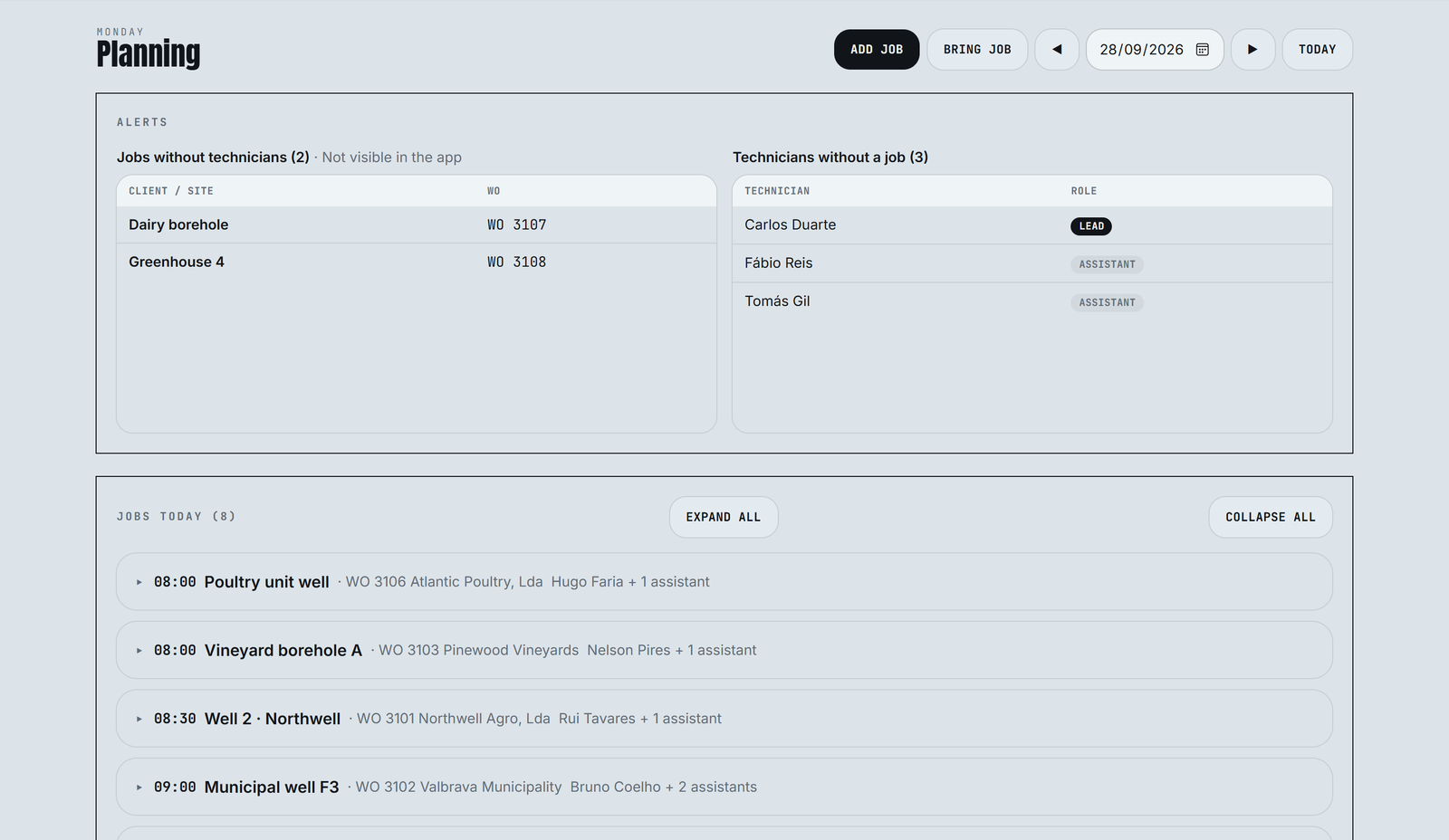
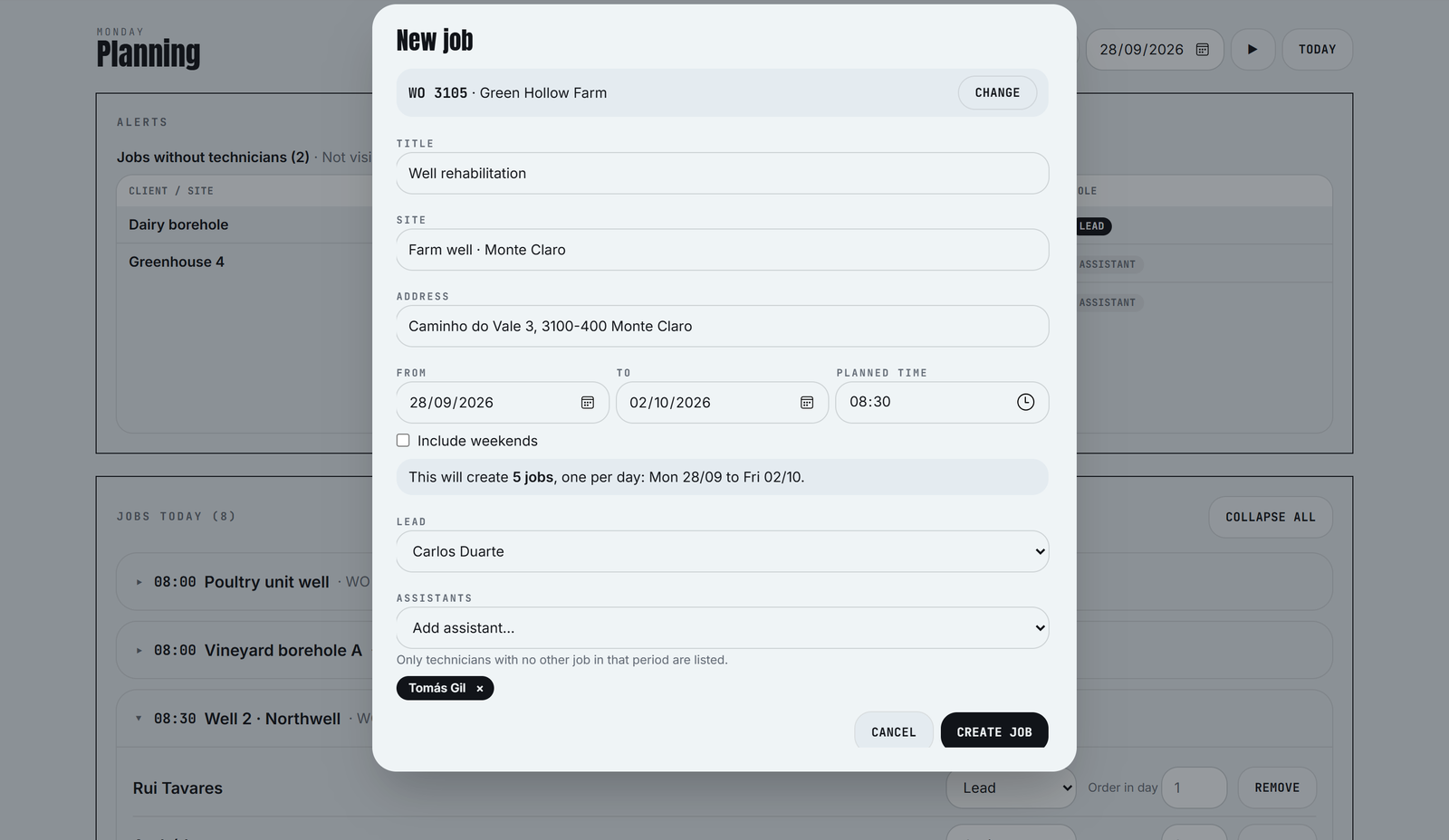
Every entry can be traced
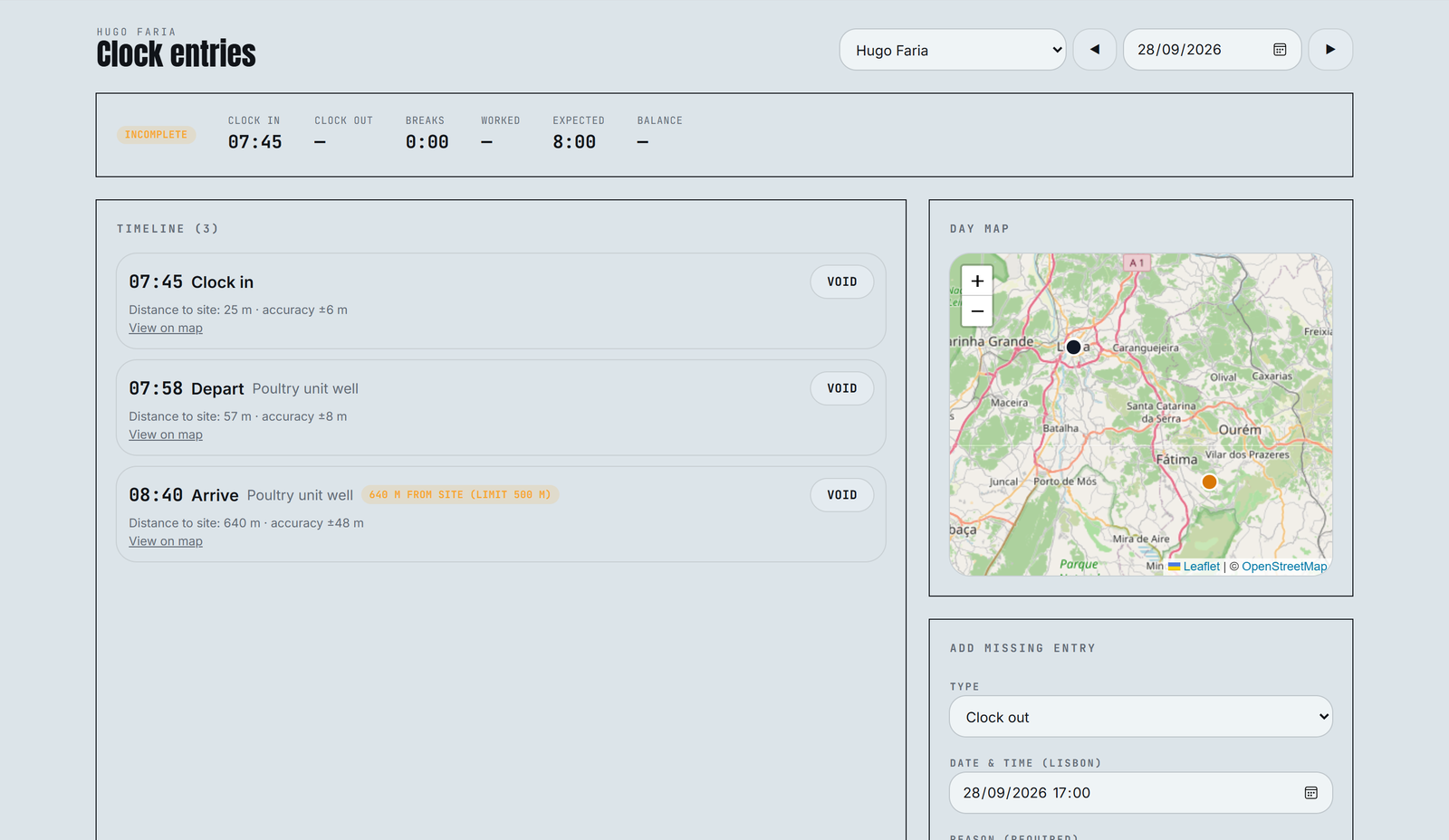
Clock entries are never deleted. The office can void an entry with a reason, or add a missing one, and each change shows who made it. Entries far from the site, sent late, or with poor GPS accuracy are flagged for a second look.
The ERP stays the source of truth
A small agent on the office server runs every ten minutes. It brings technicians, clients, work orders and jobs from PHC, and writes back what the app produces: new work orders, the crew on each job, and hours per technician. It never deletes anything in the ERP.
FIELD
Technician app
Offline-first clock-ins with GPS, crew and notes.
React · Capacitor · Android
CLOUD
Supabase
Postgres with row-level security as the real access control.
Postgres · RLS · Edge Functions
OFFICE
Planning panel
Planning, work orders, entries, hours and settings.
React · TanStack · Cloudflare
OFFICE SERVER
Sync agent
Reads and writes PHC with parameterised SQL, and backs up the day to Excel.
Node · TypeScript · SQL Server
WRITING INTO AN ERP
Before each write, the agent reserves the record's ERP key in the app database. If a run fails halfway, the next run finds that key and finishes the same record instead of creating a duplicate. Site coordinates typed by hand over the years get a common mistake fixed (positive longitudes in mainland Portugal); anything ambiguous is skipped.
Decisions that shaped the build
Entries are voided, never deleted
Hours feed payroll. Every correction keeps the original entry, the reason and the person who made it.
The database enforces access
Technicians only see their own jobs and can only write their own entries. The rules live in Postgres, so a bug in an app can't widen them.
One job per day
A week at one site becomes five jobs, so the ERP gets hours per day and per job without anyone splitting them later.
The ERP owns its records
Anything that comes from PHC is read-only in the panel. The office changes it in PHC, and the next sync brings the change.
Offline before online
Boreholes are rarely in good coverage. Clock-ins are stored on the phone and sent later, with the phone's clock checked against the server.
A demo mode with fictional data
These screens come from a built-in demo, so the product can be shown without exposing a single real client.
Specified first, tested throughout
The work started from a written spec and moved through four plans: the database and security rules, the technician app, the office panel, and the ERP agent. Each plan was built task by task with Claude Code, with a review after every task. Writes to the ERP were tested against a copy of the company database before anything touched production.
199
App and panel tests
101
Database and security tests
65
Sync agent tests
4
Plans, spec to ERP sync
TypeScript · React · TanStack Router & Query · Tailwind · Capacitor · Supabase · PostgreSQL · Node.js · SQL Server · Leaflet · Vitest · Cloudflare Workers
Screens show the demo mode. All people, clients, addresses and times are fictional.