The Problem
A friend who tutors students was spending 5+ hours per week on administrative work. After sitting down to understand their workflow, I identified the core pain points through observation — not assumptions.
WEEKLY TIME SINK
- —Manual scheduling across multiple students
- —Tracking attendance after each class
- —End-of-month invoice calculations
- —Maintaining student progress notes
EXISTING TOOLS FAILED
- —Generic calendar apps not built for tutoring
- —Invoicing software required manual entry
- —Enterprise tools too expensive and complex
- —Most required constant internet connection
Development Approach
I worked directly with the user throughout the project, following an iterative process similar to agile methodology — shipping something usable from day 3 onward, not after a big reveal.
Day 1
Discovery
Shadowed the tutor and documented their workflow step-by-step. Identified pain points through observation.
Day 2
MVP
Built core features in priority order: calendar, student list, attendance marking, invoice generation.
Day 3
Sprint 1
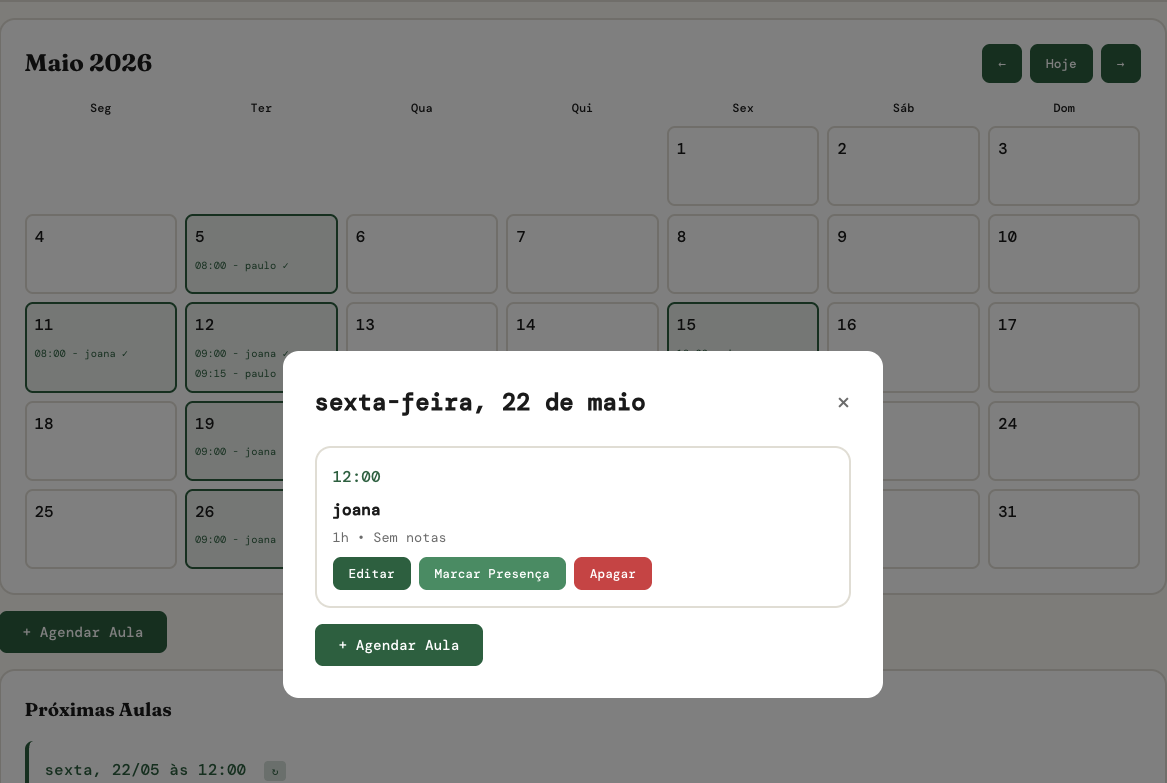
Added day-click modals, attendance tracking, improved invoice formatting, made mobile-friendly.
Day 4
Sprint 2
Added test tracking, admin dashboard with profit overview, expense tracking, monthly statistics.
Day 5
Sprint 3
Integrated Chart.js analytics, student archive feature, improved invoice copy-paste for WhatsApp.
Day 6
Refactoring
Code refactoring for maintainability. Split a 2000-line file into organized modules.
FEEDBACK LOOP
Daily demos, observation sessions watching real usage, and quick priority adjustments kept the project grounded. Features were added based on actual pain, not planned roadmaps. One planned section (session reports) was dropped entirely after the user never touched it.
The Solution
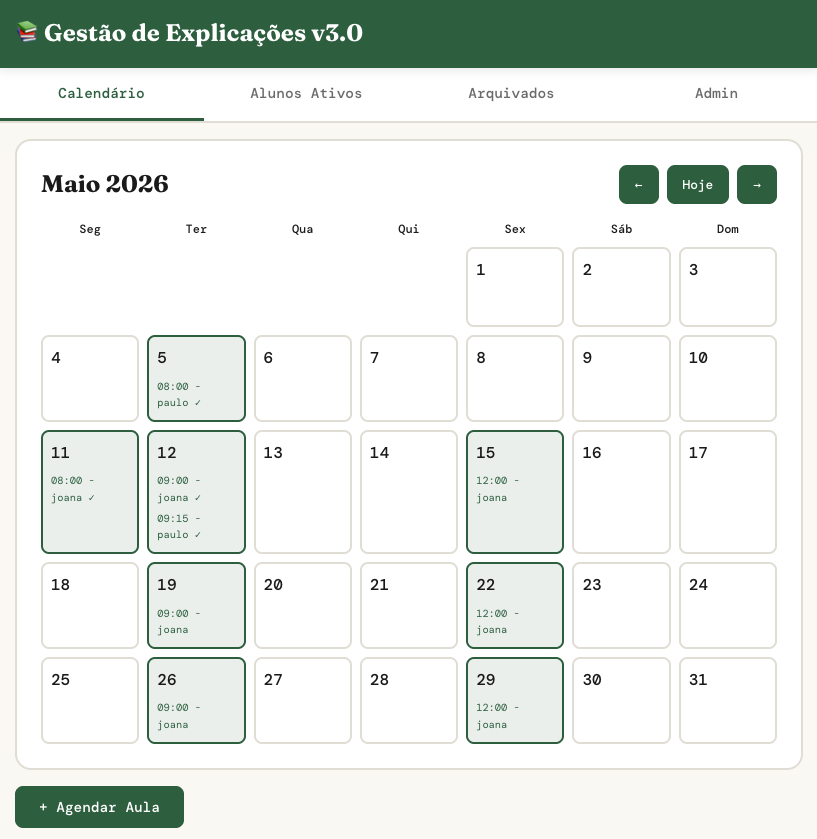
The final product handles the complete tutoring workflow in one place. It runs entirely in the browser and saves data locally — works offline, no server needed, data stays on the user's device.
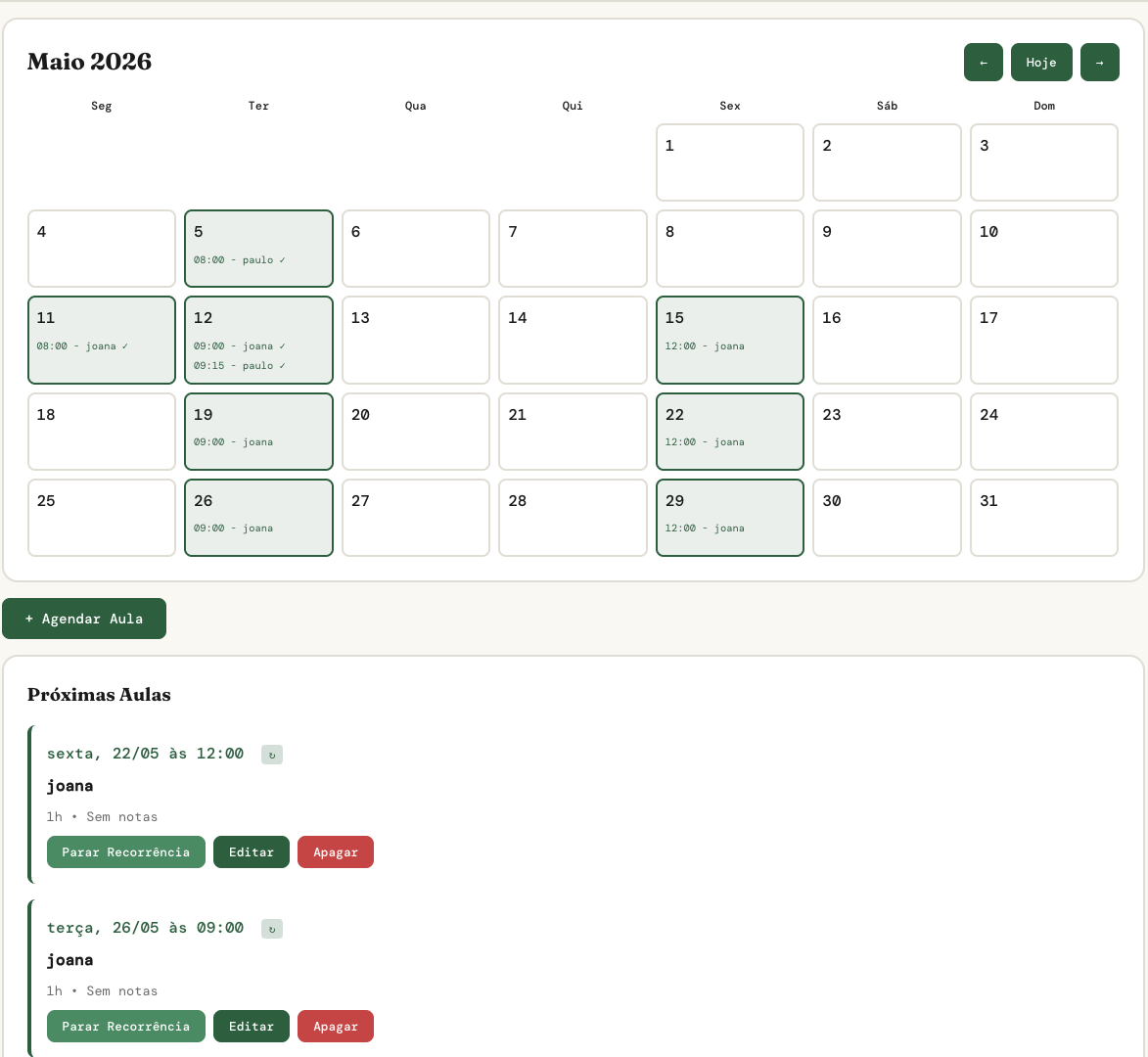
Calendar Management
- —Monthly view with all scheduled classes
- —Click any day to add or view sessions
- —Visual indicators for attended / missed / paid
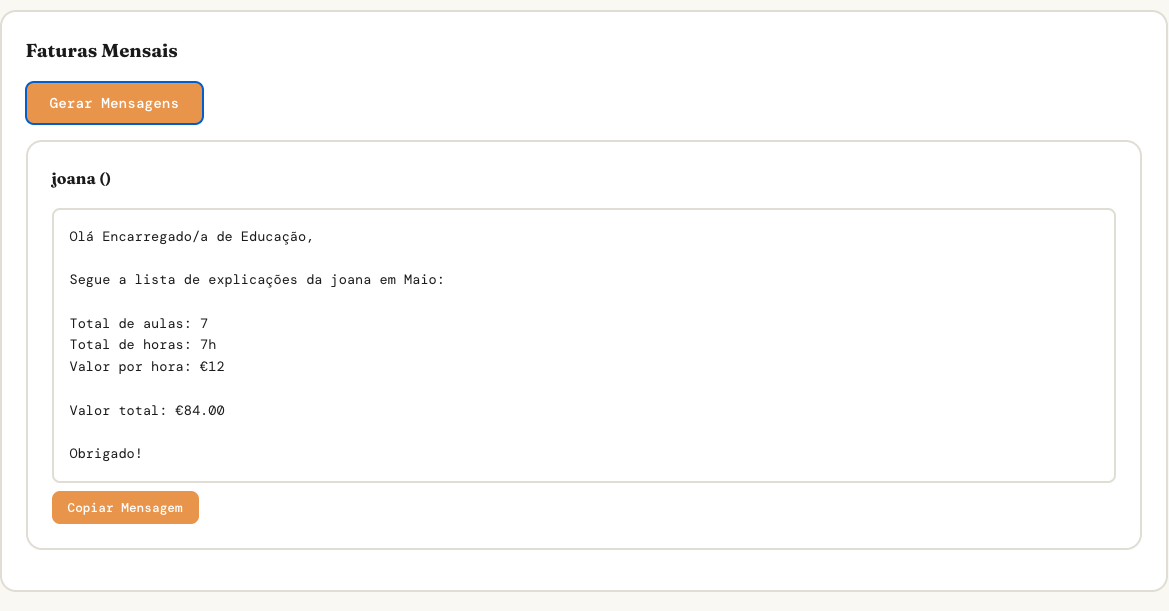
Invoice Generation
- —One-click monthly invoices per student
- —Auto-formatted for Portuguese messaging
- —Gender-aware text formatting
- —Copy-paste ready for WhatsApp
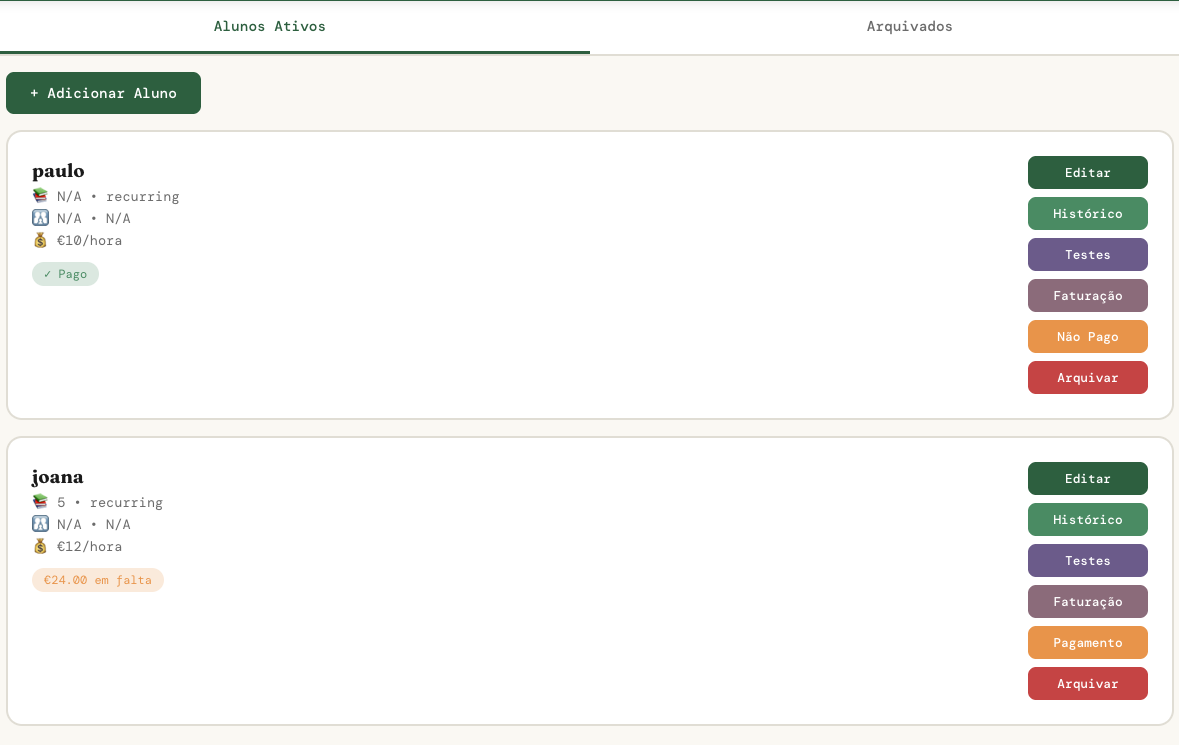
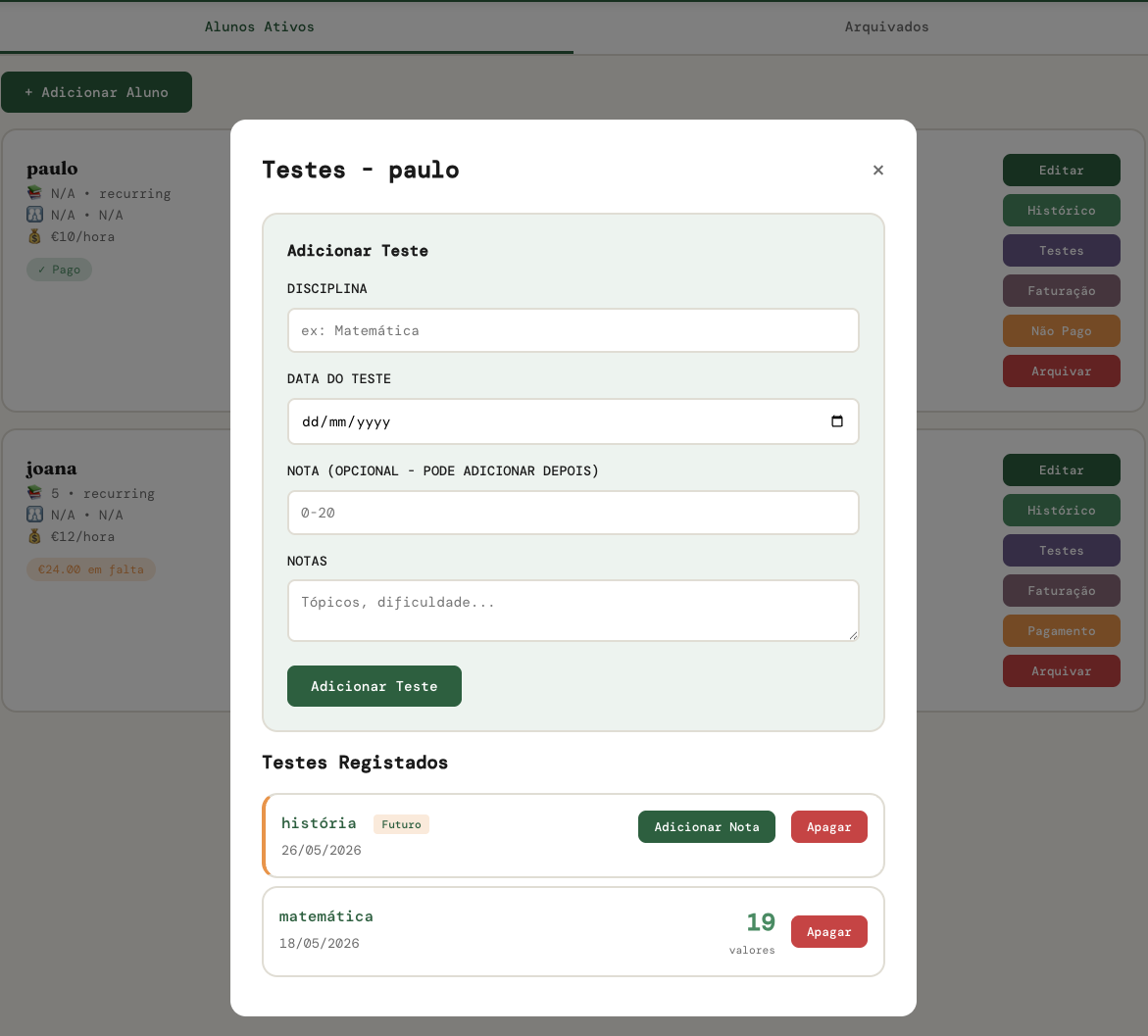
Student Profiles
- —Full class history and earnings breakdown
- —Test tracking (upcoming and past)
- —Archive instead of delete
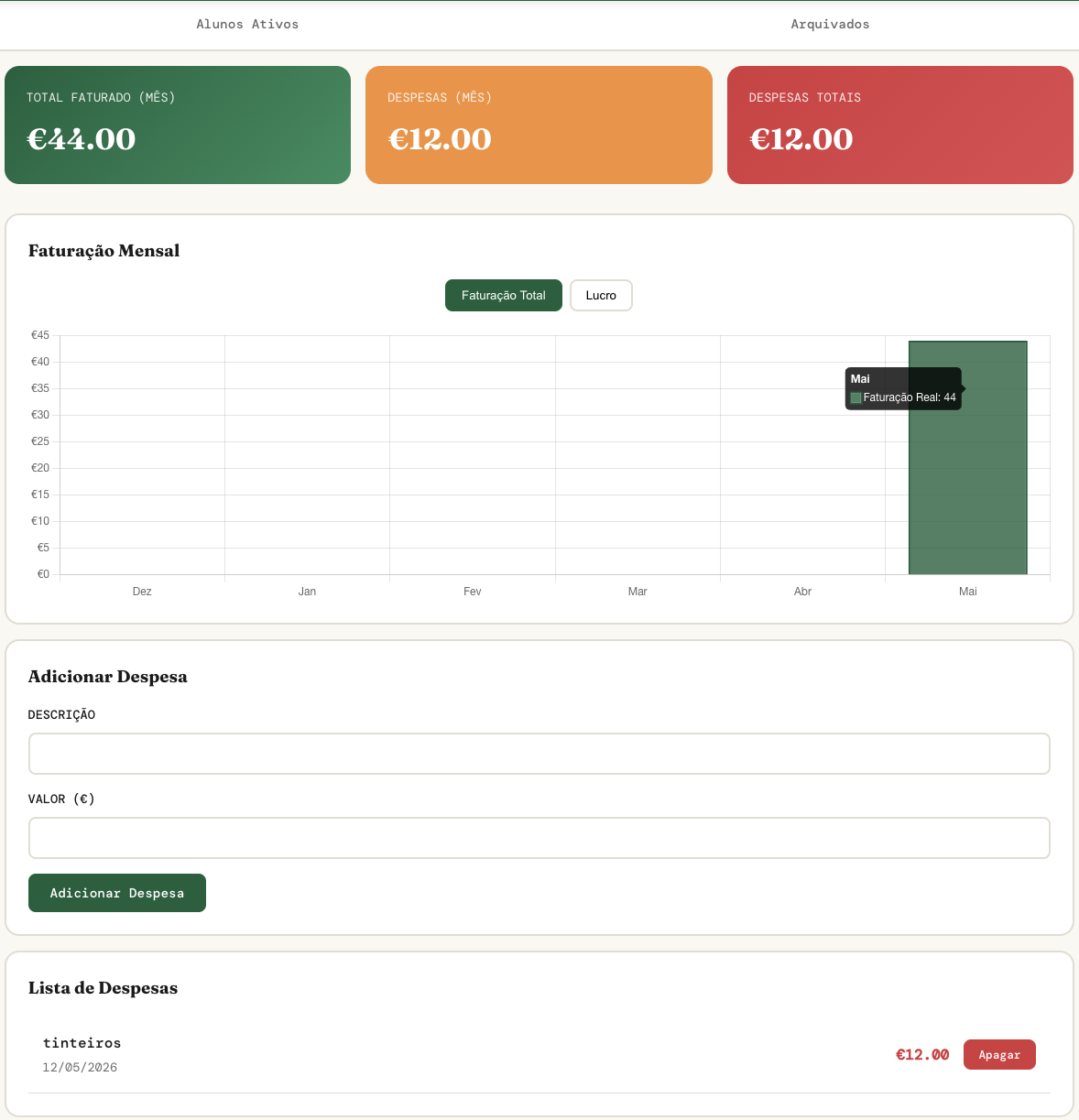
Business Analytics
- —Revenue, expenses, and profit tracking
- —Monthly trend visualization
- —Unpaid balance overview
Screenshots
Results & Impact
80%
Reduction in admin time
2 min
Invoice generation (was 2h)
0
Invoice calculation errors
45 min
Monthly admin (was 5h+)
Beyond time savings, it was the first time the user could see their actual monthly profit, identify their most and least profitable students, and track expenses properly — which led to better tax management.
Key Learnings
Observation beats assumptions
Watching someone work reveals problems they won't articulate. The test tracking feature — one of the most-used — was never mentioned in initial conversations.
Ship early, ship often
The app was useful from day 3 onward. There was no big reveal — just continuous improvement. A working MVP beats a perfect plan.
Simplicity is hard
It took more effort to keep the tool simple than to add complexity. Removing the session reports section after the user ignored it was the right call.